
برنامه
ESOE Security — Compatible Apps
All ESOE security cameras and NVR/DVR systems support free mobile apps for iOS and Android. View live footage, play back recordings, receive motion alerts, and manage your cameras — anytime, anywhere.
Different product series use different apps. Please check your product page or user manual for the recommended app. Below is a complete list of apps supported by ESOE products.
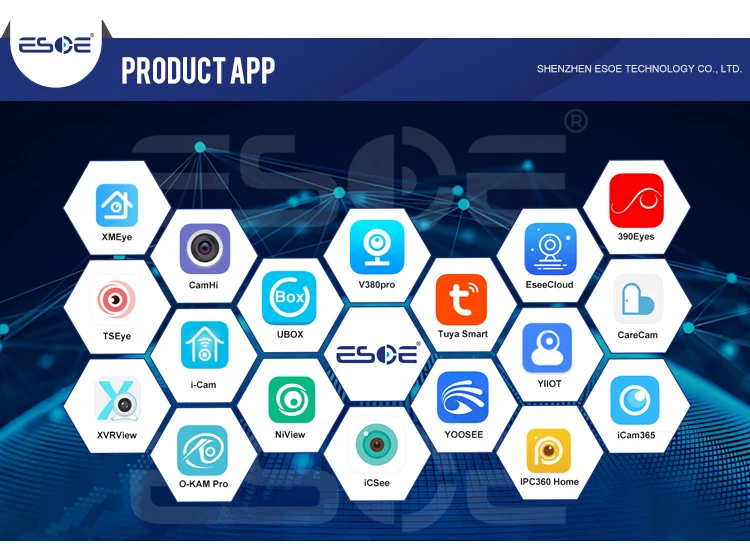
🌐 All Supported Apps Overview
⭐ Featured App — HiEasy
HiEasy — Our most recommended app for PoE IP cameras and NVR kits. Available free on iOS and Android.
- Live View: Watch all your cameras in real-time from anywhere
- Playback: Review recorded footage by date and time
- Motion Alerts: Instant push notifications when motion is detected
- Two-Way Audio: Talk and listen through your camera
- Cloud Storage: Optional cloud backup for important recordings
- Multi-Device: Manage multiple cameras and NVRs in one app
Search "HiEasy" in the App Store or Google Play to download for free.
📱 Most Popular Apps
| App Name | Best For | Key Features | Download |
|---|---|---|---|
| UBOX | PoE IP Cameras, NVR Kits | Live view, playback, motion alerts, two-way audio, device sharing | iOS / Android — Search "UBOX" in App Store or Google Play |
| HiEasy | PoE IP Cameras, NVR Kits | Live view, playback, motion alerts, two-way audio, cloud storage | iOS / Android — Search "HiEasy" in App Store or Google Play |
| TSEye | NVR/DVR Systems, IP Cameras | Multi-channel view, remote playback, alarm push, device management | iOS / Android — Search "TSEye" in App Store or Google Play |
| V380 Pro | Home Cameras, Wi-Fi Cameras, PTZ Cameras | Easy Wi-Fi setup, live view, two-way audio, motion tracking | iOS / Android — Search "V380 Pro" in App Store or Google Play |
| NiView | NVR Systems, Multi-channel Monitoring | Multi-channel live view, remote playback, alarm notifications | iOS / Android — Search "NiView" in App Store or Google Play |
| iCSee | Home Cameras, Wi-Fi Cameras | Easy setup, live view, motion alerts, two-way audio | iOS / Android — Search "iCSee" in App Store or Google Play |
| YOOSEE | Wi-Fi Cameras, Home Security | Wi-Fi setup, live view, motion detection, cloud storage | iOS / Android — Search "YOOSEE" in App Store or Google Play |
| Tuya Smart | Smart Home Cameras, IoT Devices | Smart home integration, live view, automation, voice control (Alexa/Google) | iOS / Android — Search "Tuya Smart" in App Store or Google Play |
| O-KAM Pro | 4G Solar Cameras, Outdoor Cameras | 4G/Wi-Fi connection, solar battery status, motion detection, PTZ control | iOS / Android — Search "O-KAM Pro" in App Store or Google Play |
📋 All Supported Apps
| App Name | App Name | App Name |
|---|---|---|
| HiEasy | QPlus | XMEye |
| CamHi | iCSee | EseeCloud |
| V380pro | Tuya Smart | YOOSEE |
| TSEye | UBOX | CareCam |
| i-Cam | NVView | YiIOT |
| XVRView | O-KAM Pro | iCam365 |
| 360Eyes | IPC360 Home | — |
❓ How to Find the Right App
- Check your product page — The compatible app is listed in the product description
- Check the user manual — A QR code for downloading the app is included
- Scan the QR code on the device — Some cameras have a QR code printed on the body
- Contact us — Email your product model to aisha@esoecctv.com and we'll tell you which app to use
🔧 App Setup Tips
- Make sure your phone and camera are on the same Wi-Fi network during initial setup
- For 4G solar cameras, insert the SIM card before powering on, then add the device in the app by scanning the QR code
- For NVR systems, connect the NVR to your router with an Ethernet cable, then add it in the app using the device serial number or QR code
- Enable push notifications in the app to receive motion alerts on your phone
- For remote access outside your home network, ensure port forwarding is configured on your router (or use the app's P2P/cloud connection)
Need help setting up your app?
Contact us at aisha@esoecctv.com or WhatsApp (+86) 134-1707-6604
- با انتخاب یک گزینه، صفحه به طور کامل بازخوانی میشود.